IT Support Los Angeles: How to Choose the Right IT Support Company
Looking for IT support in Los Angeles? Learn how to choose the right IT support company for your business, from response times to cybersecurity and managed IT services.
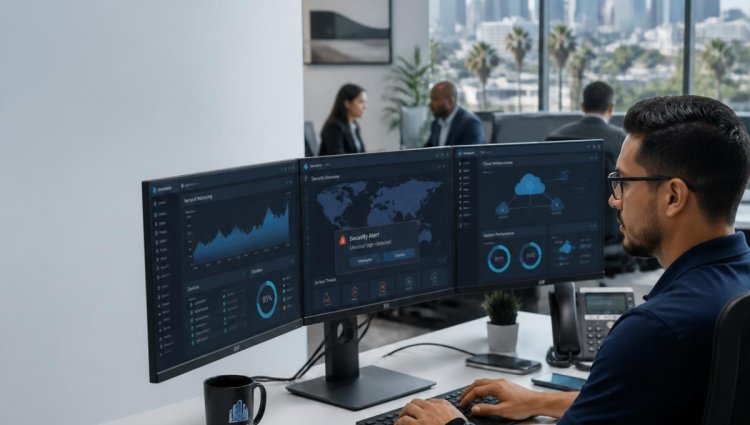
Technology is at the heart of almost every modern business. Employees depend on computers, networks, cloud applications, email, servers, cybersecurity tools, and data every day. When something goes wrong, even a small IT problem can quickly affect productivity, customer service, and revenue.
For businesses searching for IT support in Los Angeles, choosing the right IT support company is an important decision. The right provider should do more than fix computers when they stop working. A good IT partner should help prevent problems, protect business data, reduce downtime, and make sure your technology supports your long-term goals.
But with so many IT companies and service providers available, how do you know which one is right for your business?
This guide explains the key factors you should consider when choosing an IT support company in Los Angeles.
Why Reliable IT Support Matters for Los Angeles Businesses
Businesses cannot afford to lose hours dealing with technical problems. A network outage, compromised account, server issue, or software problem can prevent employees from doing their jobs and may affect customers.
Professional IT support services can help businesses identify and resolve technology problems while also taking a proactive approach to IT management.
The right provider can help with:
- Computer and workstation support
- Network troubleshooting
- Server management
- Cybersecurity
- Data backup
- Cloud services
- Microsoft Office 365
- Hardware upgrades
- Data migration
- IT infrastructure management
For small and medium-sized businesses, professional IT support can also provide access to technical expertise without the expense of building a large internal IT department.
1. Look for Experience With Businesses Like Yours
One of the first questions to ask an IT support company is whether it understands businesses similar to yours.
A provider working with small and medium-sized businesses should understand that your IT needs may be different from those of a large corporation. You may need dependable support, predictable costs, cybersecurity, cloud solutions, and technology that can scale as your company grows.
Ask potential providers:
- How many businesses do you currently support?
- Do you work with companies of our size?
- Do you provide remote and onsite support?
- Can you support our existing infrastructure?
- Do you provide proactive monitoring?
- Can you help with future technology planning?
The answers can help you determine whether the provider is capable of becoming a long-term IT partner.
2. Check Response Times and Support Availability
When employees experience an IT problem, waiting several days for assistance is not practical.
Before selecting an IT support company, understand exactly how support works. Ask about response times, communication methods, support hours, and escalation procedures.
Some providers offer business-hours support, while others offer extended or 24/7 support.
LA IT Consultants, for example, provides remote and onsite IT support and states that support is available 24 hours a day, seven days a week by phone or email. Its support model also assigns clients a dedicated account manager and a personal support team familiar with the client's business environment.
The important thing is to choose a support model that matches your business requirements.
3. Consider Proactive Managed IT Services
Traditional IT support often focuses on fixing problems after they occur. Modern businesses can benefit from a more proactive approach.
Managed IT services involve ongoing monitoring, maintenance, updates, security, and technology management designed to identify potential problems before they become major disruptions.
For example, proactive IT management can include:
- Server and network monitoring
- Security updates
- Endpoint protection
- Preventive maintenance
- Backup management
- System health monitoring
- Technology planning
LA IT Consultants provides managed IT services designed to proactively manage, monitor, and maintain business networks and servers in both on-premises and cloud environments.
If your business depends heavily on technology, proactive management may be more valuable than simply having someone to call after something breaks.
4. Don't Ignore Cybersecurity
Cybersecurity should be one of the most important factors when comparing IT support services.
Your IT provider may have access to business systems, networks, devices, and sensitive information. Make sure the company takes security seriously.
Ask whether the provider offers:
- Endpoint protection
- Security updates
- Network monitoring
- Backup solutions
- Account security
- Threat detection
- Disaster recovery planning
- Security assessments
Cybersecurity should not be treated as an optional add-on. It should be part of your overall IT strategy.
5. Ask About Backup and Disaster Recovery
A reliable backup strategy can make a major difference when something goes wrong.
Hardware failure, accidental deletion, ransomware, or another unexpected event can potentially make important business data unavailable.
When evaluating an IT support company in Los Angeles, ask:
What happens if our server fails tomorrow?
A good provider should be able to explain how your business data is backed up and how systems can be restored.
LA IT Consultants offers managed cloud backup solutions and plans that include cloud and local data backup, with its premium plan also including a disaster recovery plan.
6. Evaluate the Provider's Range of IT Services
Your technology needs may change as your company grows.
You may initially need basic IT support, but later require cloud migration, Microsoft 365 management, server upgrades, virtualization, data migration, or IT relocation.
Choosing a provider that can support these needs can make your IT strategy simpler.
LA IT Consultants offers services including managed IT services, IT support, managed cloud backup, server and hardware upgrades, virtualization, system and data migrations, local-to-cloud migrations, Microsoft Office 365, and IT relocation services.
A provider with broader capabilities can potentially remain your technology partner as your business evolves.
7. Compare Pricing Carefully
Price matters, but the cheapest IT provider is not necessarily the best choice.
Instead of comparing only hourly rates, compare the total value of the service.
Look at:
- What services are included?
- Is support remote, onsite, or both?
- Is monitoring included?
- Is cybersecurity included?
- Are backups included?
- What are the support hours?
- Are there minimum contract terms?
- What happens when you need emergency support?
LA IT Consultants currently publishes several managed service plans, including options for small businesses and larger organizations, as well as separate subscriber and non-subscriber support rates. Pricing varies according to the number of workstations and servers.
Always ask for a clear explanation of what your monthly fee covers before signing a contract.
8. Look for a Long-Term IT Partner
The best IT support company is not simply the company that fixes today's problem.
Your IT provider should understand where your business is going.
As your company grows, your technology requirements may change. You may hire more employees, move offices, migrate systems to the cloud, upgrade servers, adopt Microsoft 365, or strengthen cybersecurity.
A strong IT partner should be able to help you plan those changes instead of simply reacting to problems.
Questions to Ask Before Hiring an IT Support Company
Before choosing an IT provider, consider asking:
- How quickly do you respond to support requests?
- Do you provide remote and onsite support?
- Is support available after normal business hours?
- Do you proactively monitor networks and servers?
- What cybersecurity solutions do you provide?
- How is our business data backed up?
- What disaster recovery options are available?
- Do you support Microsoft 365 and cloud environments?
- Can you help with hardware and server upgrades?
- Do you provide IT consulting and technology planning?
The answers will help you compare providers based on business value rather than price alone.
Frequently Asked Questions About IT Support in Los Angeles
What does an IT support company do?
An IT support company helps businesses manage, troubleshoot, maintain, and improve their technology. Services can include help desk support, network management, server support, cybersecurity, cloud services, backups, hardware upgrades, and IT consulting.
How do I find reliable IT support near me?
When searching for IT support near me, look beyond proximity. Check the provider's services, response times, experience, support availability, cybersecurity capabilities, customer reviews, and pricing structure. A local provider that understands your business environment can be especially useful when onsite support is required.
Is IT support important for small businesses?
Yes. Small businesses often rely heavily on technology but may not have the resources to maintain a large internal IT department. Professional IT support for small business can provide access to technical expertise, proactive maintenance, security, and troubleshooting.
What is the difference between IT support and managed IT services?
IT support generally focuses on resolving technology problems, while managed IT services typically take a more proactive approach involving ongoing monitoring, maintenance, security, and management of IT systems.
Should I choose an IT company based only on price?
No. The lowest price may not provide the level of support, security, monitoring, or expertise your business needs. Compare the complete service package and determine the potential value to your business.
Final Thoughts
Choosing the right IT support company in Los Angeles can have a significant impact on your business operations. The right provider should help reduce downtime, protect your data, maintain your technology, and give your employees dependable technical support.
Instead of choosing an IT company based only on price, look at the complete picture: experience, response times, cybersecurity, backup, proactive monitoring, available services, and long-term support.
For businesses in Los Angeles, San Fernando Valley, and Orange County, LA IT Consultants provides IT support, managed IT services, cloud backup, cybersecurity-focused solutions, infrastructure services, migrations, Microsoft Office 365 support, and other technology services for small and medium-sized businesses.
Contact LA IT Consultants
LA IT Consultants
Address: 21800 Oxnard St #745, Woodland Hills, CA 91367
Phone: 818-789-6600
Email: info@laitconsultants.com
Website: https://laitconsultants.com/
If your business needs dependable IT support in Los Angeles, contact LA IT Consultants to discuss your technology needs and find an IT support solution designed around your business.